Humanize AI Text: Humanize Claude Output to a 100% Human Score
Paste anything Claude wrote and get it back reading like a person wrote it. Every sentence is rebuilt rather than reworded, so your facts, figures and citations stay exactly where you put them.


 ChatGPT
Authentic writing
Rewritten so it reads like a person wrote it
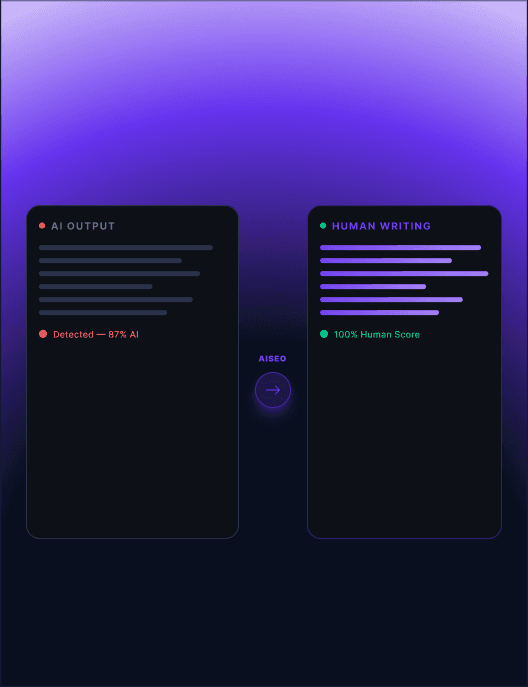
Claude writes cleanly, and that is exactly the problem. Its drafts hold a steady sentence rhythm and reach for the same connectives in the same places, which is what pattern-based detectors are built to notice.
The rewrite works sentence by sentence rather than swapping words. Length varies the way human paragraphs do, the recycled transitions come out, and the argument arrives in the order you put it.
- Every sentence rebuilt, not reworded
- Facts, figures, names and citations preserved
- Human score shown before you copy anything
Clears the checkers
Verified against the detectors people actually run
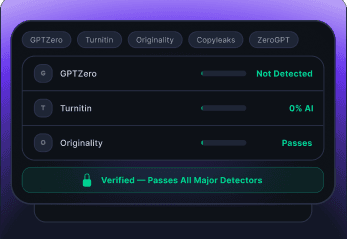
A rewrite is only useful if it holds up where it will be read. Each result is scored against the major detectors before it reaches you, so you are not guessing at whether the draft is ready.
The score sits under the output rather than in a marketing claim. If a passage still reads as machine-written, you can see it and run that section again.
- Scored against GPTZero, Turnitin, Originality and Copyleaks
- Per-detector results, not one blended number
- Re-run any section that still scores high
Plagiarism-free
Original text, matched against indexed sources
Rewriting can quietly pull a phrase closer to something already published. Every result is compared against billions of indexed web and academic pages before you see it.
You get an originality score with the passages that matched and where they came from, so anything borrowed can be reworded before you submit.
- Matched against web and academic sources
- Originality score with the specific passages listed
- Nothing you paste is stored or reused

Error-free
Grammar and spelling fixed on the way through
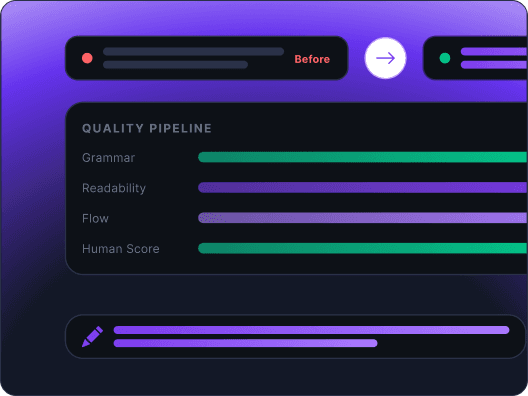
A humanized draft full of small errors is its own kind of tell. Grammar, punctuation and agreement are corrected as part of the rewrite rather than left for a second pass in another tool.
Tone stays where you set it. Corrections apply to mechanics, not to the voice or the reading level you chose.
- Grammar, spelling and punctuation handled inline
- Reading level held to the setting you picked
- No second pass in a separate editor
Writing modes
Modes for the draft you are actually writing
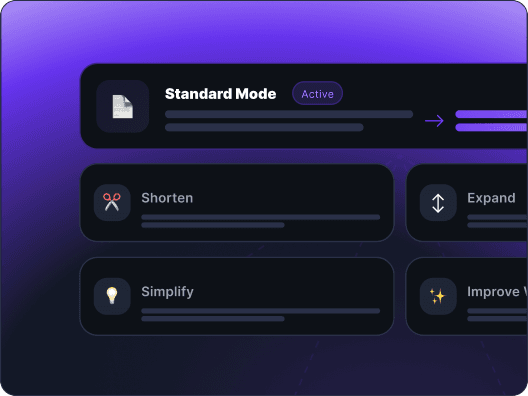
An academic paper and a landing page need different pacing, so the rewrite is not one setting. Pick a mode and the sentence length, vocabulary and structure move with it.
Shorten trims a draft that runs long, Expand fills out thin sections, Simplify drops the reading level, and Improve tightens what is already close.
- Standard, Shorten, Expand, Simplify and Improve
- Readability from grade 6 through graduate level
- Purpose presets for essays, blogs, reports and letters
Document support
Upload the file, not just the paragraph
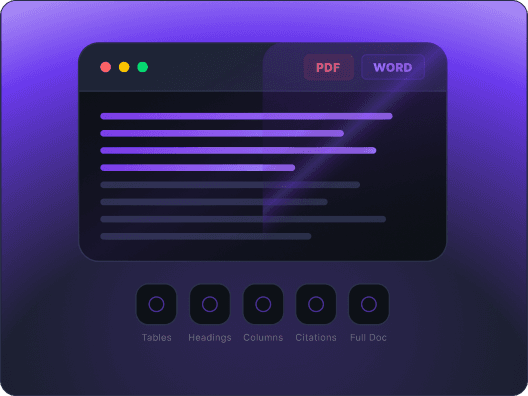
Most drafts do not live in a text box. Upload a PDF, Word document or plain text file and the extracted text goes through the same rewrite.
Structure comes back intact: headings stay headings, tables stay tables, and citations keep their place in the document.
- PDF, DOCX and TXT in and out
- Headings, tables, columns and citations preserved
- Full documents, with no word limit
SEO rankings
Keeps the keywords your page ranks for
Rewriting a published page usually costs you the phrases it was ranking on. Freeze the terms that matter and they survive the rewrite word for word.
Everything around them still changes, so the page reads naturally while the keywords, product names and quoted phrases stay exactly as written.
- Freeze keywords, product names and exact phrases
- Heading structure left where you put it
- Safe to run on pages that already rank

Everything included
What you get on the free plan
No account, no word cap, and no card. Everything below runs on every draft you paste.

Holds up to E-E-A-T review
Keeps the first-hand detail and specifics that editors and search quality raters look for, instead of flattening them into generic prose.

Grammar built in
Spelling, punctuation and agreement are corrected as the rewrite runs, so nothing needs a second pass elsewhere.

Natural flow
Sentence length varies the way it does in writing people actually publish, which is the signal most detectors weigh heaviest.
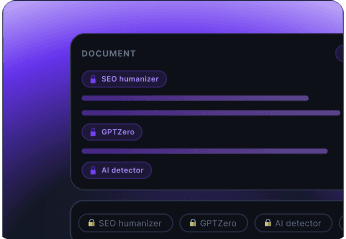
Freeze keywords
Lock the terms that cannot move: target keywords, product names, quoted lines and anything you are cited on.
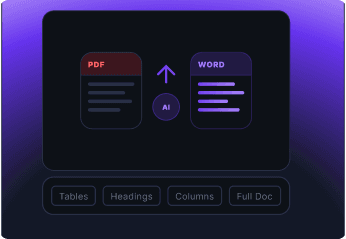
Files in, files out
PDF, DOCX and TXT upload with tables, headings, columns and citations still in place when you download.
Scored, not promised
Each result carries its own detector scores, so you judge the draft you are submitting rather than a claim about someone else's.
How it works
How to humanize Claude text in three steps
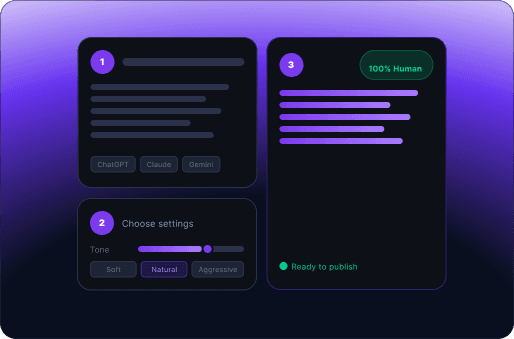
- 1
Paste your Claude draft
Drop the text into the left panel, or upload a PDF or Word file. No length limit, no account.
- 2
Hit Humanize
One click. The rewrite runs sentence by sentence and keeps your facts, figures, and names exactly where you put them.
- 3
Check the score, then copy
The right panel shows a human score next to the result. Read it, copy the text, and move on.
Who uses it
Students & researchers
Turn a Claude-assisted outline into prose that survives Turnitin and reads like your own coursework.
Content writers & bloggers
Ship at volume without the house style collapsing into the same four sentence shapes.
Marketers & SEO teams
Keep target terms frozen while the surrounding copy loosens up.
Business professionals
Reports, proposals, and client mail that sound like the person who signed them.
Non-native English writers
Claude fixes the grammar; this fixes the stiffness that comes with it.
Agencies & freelancers
Deliverables that pass a client AI check on the first pass, not the third.
Frequently asked questions
How do I humanize Claude text?
Paste the draft into the box at the top of this page and click Humanize. Every sentence is rebuilt rather than reworded, and the result appears on the right with a human score next to it. There is no account, no word cap, and nothing is stored once the rewrite returns.
Will the rewrite change my facts or citations?
No. Figures, names, quotes, sources and the order of your argument all stay where you put them. Freeze keywords first if there are exact terms that must survive word for word, such as a product name or a phrase you are cited on.
Why does Claude output get flagged in the first place?
Detectors read the shape of the writing rather than its meaning. Claude holds a narrow sentence-length band and reaches for the same connectives in the same positions, and that consistency is the single strongest signal most checkers weigh.
Does it work on a whole document or only a paragraph?
Both. Pasted text has no length limit, and the Humanize File tab takes PDF, DOCX and TXT. Headings, tables, columns and citations come back in place, so a full paper can go through in one pass.
Can I keep my SEO keywords through the rewrite?
Yes. Freeze the terms that cannot move and they are preserved exactly while everything around them changes. That makes it safe to run on a page that already ranks, which a plain paraphrase is not.
Which detectors is the result checked against?
Each result is scored against the major checkers, including GPTZero, Turnitin, Originality and Copyleaks, and you see them separately rather than as one blended number. If a passage still scores high you can rerun that section on its own.
Is the plagiarism check included?
It runs on every result. Phrases are compared against billions of indexed web and academic pages, and anything that matched is listed with its source so you can reword it before submitting.
Does it only handle Claude drafts?
No. The same engine handles output from any major model, so a document stitched together from several assistants comes out in one consistent voice rather than three.
Does Claude watermark text?
Yes, on current models. Anthropic signed the EU AI Act transparency code, and Claude models released from August 2026 mark their output at the model level. The Claude text watermark sits in the wording itself rather than in a file, so it survives a copy and paste. Humanizing rewrites the sentences, which is what breaks it.
How does the Claude watermark work?
Two layers. Invisible characters such as narrow no-break spaces ride along inside copied output, and a statistical pattern is woven into the token choices at generation time. The Claude invisible watermark cannot be seen or read by eye, and Anthropic states that heavily edited or paraphrased text may no longer carry a detectable mark.
How do I remove the Claude watermark from my text?
The humanizer strips the hidden characters first, then rebuilds every sentence so the statistical pattern no longer holds. Swapping a few words does not do it. There is a dedicated Claude watermark remover on our sister page if that is all you need.
Is there a Claude watermark detector or checker?
Not a public one yet. Anthropic is building detection for third parties, so a Claude watermark checker you can run yourself does not exist today. You can find the mechanical layer by pasting the text into a code editor with invisible characters shown.
Does Claude Code leave a watermark?
Marking is applied at the model level, so the Claude Code watermark question has the same answer as the app and the API: current models mark their output wherever you reach them, including cloud partners.
Why is there a backlash about the Anthropic Claude AI watermark?
Mostly because it is invisible and applies by default, so people writing legitimately with AI assistance have no way to inspect or opt out of what is embedded in their own drafts. Whether that is reasonable is a separate argument from whether it is present.
Do the open-source Claude watermark remover scripts on GitHub work?
They strip invisible characters, which is the easy half, and they do nothing about the statistical layer or the writing patterns detectors read. A find-and-replace on Unicode leaves the draft scoring exactly as it did before.
Does Claude have a watermark on every model?
No. The Claude AI watermark applies to current models, released from August 2026 onward. Older releases such as Claude 3.5 predate the transparency commitment and were not marked at generation time, though ordinary detectors still read their writing patterns.
Does copy pasting from Claude leave a watermark?
It does, and this is the most common misunderstanding. The mark lives in the text rather than in a file, so moving the words into a document, an email or a CMS preserves it. Changing the font or reformatting does nothing either.
How do I watermark-proof a Claude draft before submitting it?
Run it through the humanizer, then read the score before you copy. Hidden characters are stripped, sentences are rebuilt, and the result is checked against the major detectors so you are judging the actual draft rather than a general claim.
Can I humanize Claude text without losing the meaning?
Yes, that is the point of rewriting at the sentence level rather than paraphrasing. Claims, figures, quotes and the order of your argument are preserved. Freeze keywords locks any exact wording that must survive untouched.
Does the humanizer work on ChatGPT and Gemini output too?
Yes. The same engine handles output from any major model, so a document stitched together from several assistants comes back in one consistent voice rather than three.
Is it really free?
Yes. No signup, no word cap and no card for the tool on this page. Paste a draft, read the score, copy the result.
Keep reading
Humanize your Claude draft in one click
Free, unlimited words, no account. Paste a draft and read the human score before anyone else sees it.
Start humanizing free